Design or redesign an assessment task with the AI Assessment Scale
Bring a task you already set, or start a new one. Choose how students may use AI with the AI Assessment Scale. Leave with a student brief, marking criteria and, for schools, a worksheet you can print.
Clear AI rules in the brief, the criteria and the classroom
Optional AI suggestions that you review before anything changes
Word, print and copy-ready output in English or Arabic
Create your account
Sign in with a link sent to your email; no password needed.
Press the button to finish signing in on this device.
How it works
Describe your task.Your subject, the level you teach and anything about your setting. Paste a task you already set, drop in a Word file, or describe a new one.
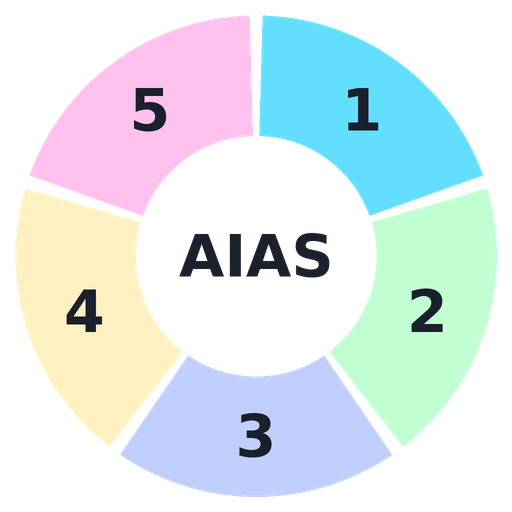
Choose an AIAS level.From No AI under supervised conditions to AI Exploration.
Get AI suggestions, or write it yourself.AI suggestions are optional.
Edit and export.Download, print or copy the brief.
For university lecturers, and for secondary teachers in Ireland (Junior and Senior Cycle) and Saudi Arabia (grades 10–12).
Cloud drafts autosave. LIP keeps a separate finished-task copy for evaluation and prompt improvement unless you opt out. Choose your settings before adding a task. Do not enter student personal information or student work.
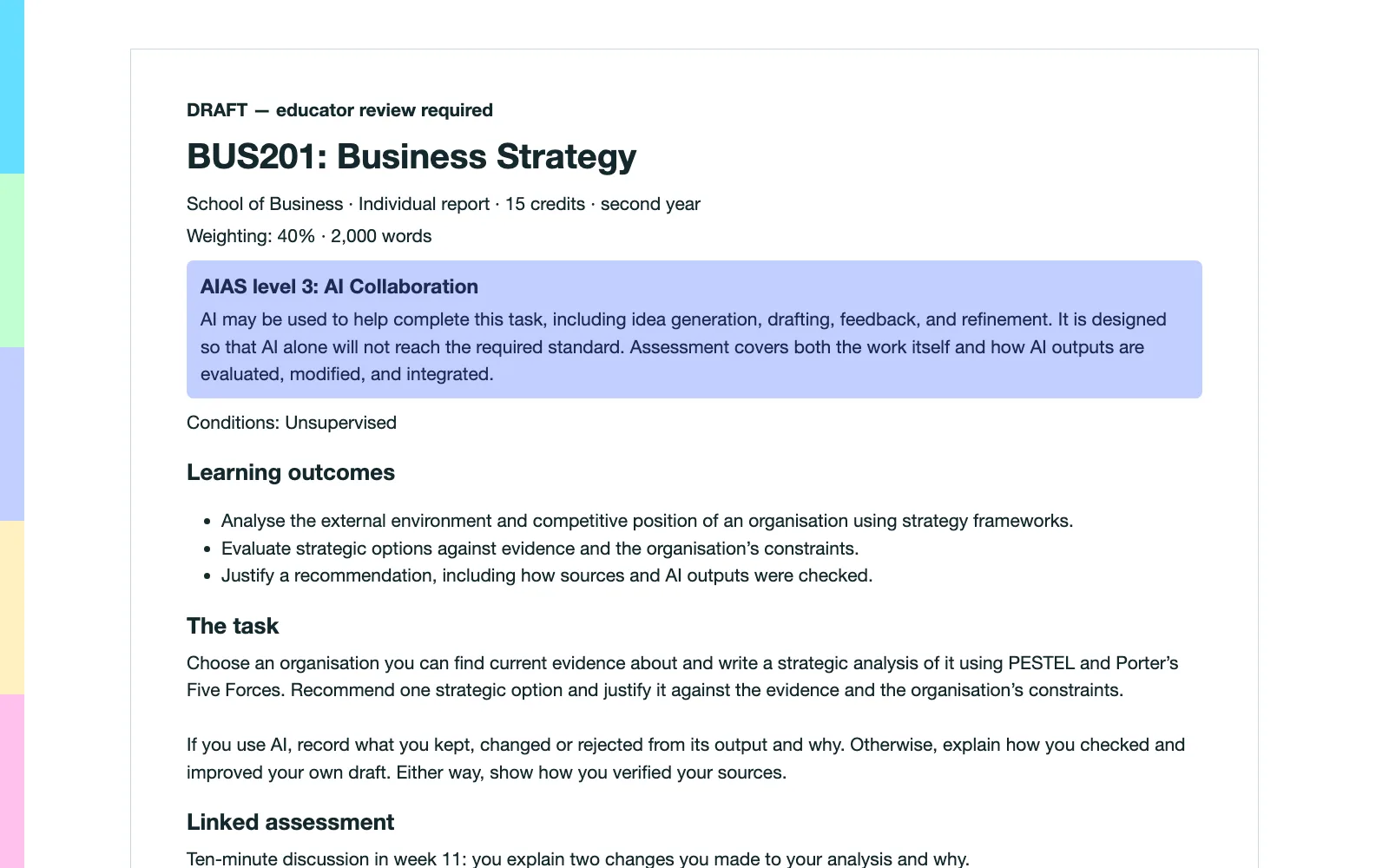
A student brief made with the studio.
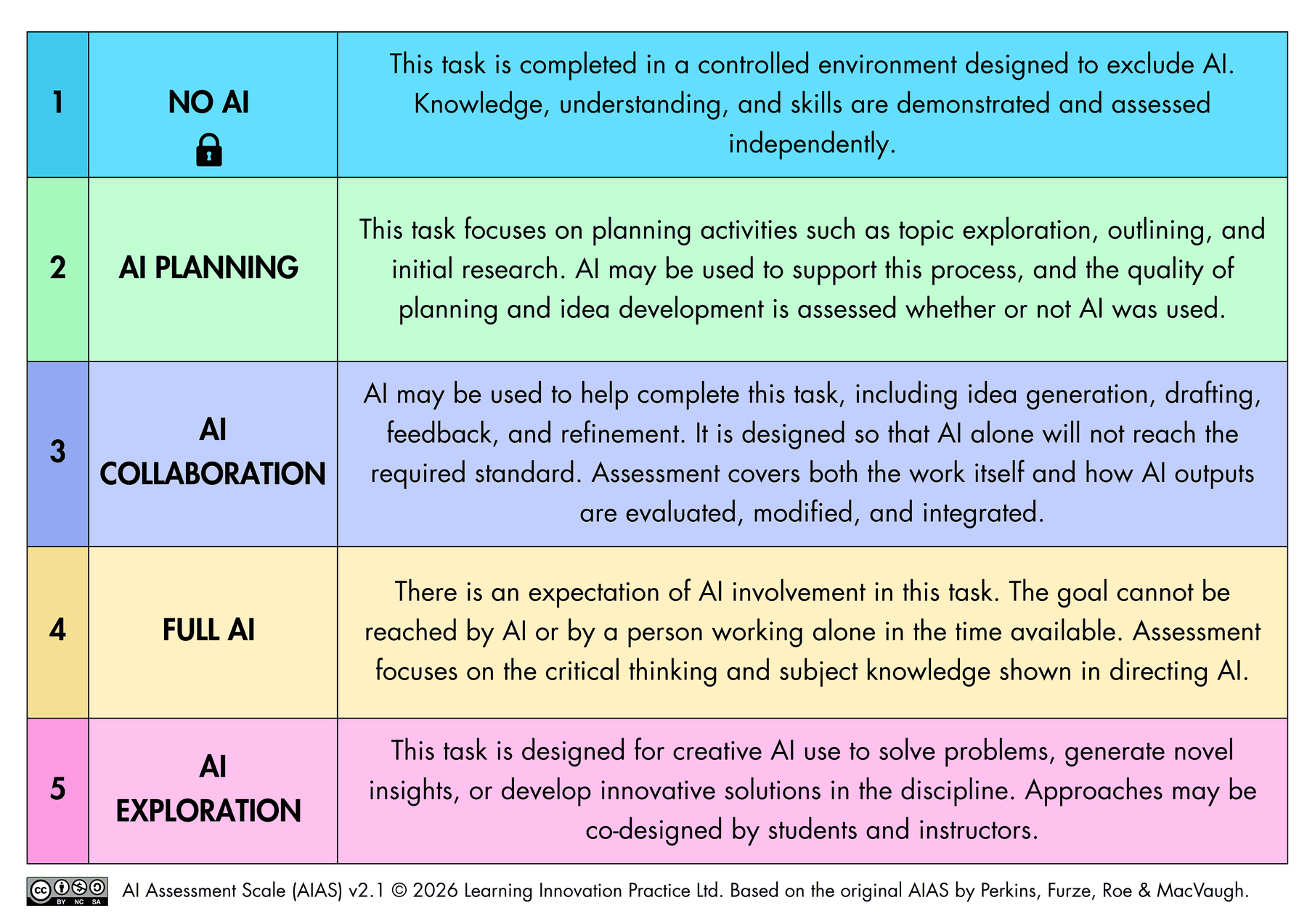
The AI Assessment Scale v2.1 (Perkins, Furze, Roe & MacVaugh).
University or college (higher education)AIAS 2.1 pilotLocal prototype
Privacy choices
Drafts autosave. Leave out student personal information.
Design or redesign an assessment with the AI Assessment Scale.
AIAS 2.1
Step 1 of 3 · Task and module
What will your students do?
Bring an existing brief or write a few lines below. There’s no need to have every detail ready.
Your teaching context
This is what matters most. Everything else on this page is optional.
For example: class size, students’ language background, access to devices, or your institution’s AI rules. Leave out the names of students, colleagues and your institution.
↑
Drop an existing brief here (.docx or .txt)Your browser reads the file and fills in the fields below.
No outcomes written yet? Leave this blank.
Add marking criteria (optional)Type, paste or upload your criteria.
Add or check your criteria
No rubric yet? Leave it empty.
Rubric is a picture? Click here and paste a screenshot.Your browser reads the picture.
Rubric picture
Optional: details for the student briefNames, codes, weighting and time. They appear on the brief you export.
Step 2 of 3 · AIAS level and conditions
Choose how students may use AI
The five AIAS levels describe types of task, not a ranking.
Supervised conditions
Level 1 (No AI) only works under supervised conditions.
Level 1 needs supervised conditions.
Linked assessment
Add a short linked check.
Choose a level, or choose to be open to any level, to continue.
Step 3 of 3 · AI redesign, brief & export
AI redesign & review
Ask AI to review your task and suggest an AIAS-aligned task, learning outcomes and marking criteria for you to edit.
See what will be sent
You chose to be open to any level. Each idea will propose a level; picking an idea sets it.
Pilot accounts have 10 attempts a day, at least 60 seconds apart.
Pick an idea to develop
Choose one, add anything you want changed, then ask for the full write-up.
Notes for you to check
Your AI draft
Review these suggestions, then choose “Use this AI draft” to edit the task and see the formatted brief.
Proposed task
Proposed learning outcomes
Proposed criteria
Proposed worksheet steps
The draft above and your changes are sent to the AI, which writes a new version. This uses one of your full write-ups.
Educator review notes
Edit the task
Edits update the formatted brief and autosave as you type. To change outcomes or criteria, return to step 1.
Drafts autosave to your private account, or only in this browser if you choose “Keep on this device only”. Save a copy creates a separate draft. For support, email the LIP team; emailing does not share your draft.
Opting out also deletes your account-linked evaluation copies. Your private drafts remain. Submitted tasks are not republished or used to train AI models.